How to Create Floor Plans Quickly Without Manual Measurements
30th December 2025
If you work in real estate, you know the drill. You arrive at a property, armed with a laser measure, a clipboard, and a stack of graph paper. You spend the next hour walking heel-to-toe, dodging furniture, and sketching out wobbly lines, only to realize back at the office that you forgot to measure the width of the hallway.
Manual measuring is slow, prone to human error, and frankly, a task from the last century.
But what if you could create a professional, accurate floor plan without ever touching a tape measure? What if you could capture an entire room’s dimensions in a single second?
At Made Snappy, we’ve made this the new standard. Here is how you can say goodbye to the laser measure and create floor plans in minutes, not hours.
The Secret: 360° Photogrammetry
The traditional method relies on linear measurements - measuring wall A, then wall B, and hoping they meet at a 90-degree angle. The modern method uses 360-degree photography.
By using a 360° camera, you aren't just taking a picture; you are capturing spatial data. Our advanced software analyses the visual depth and geometry within these spherical images to calculate wall lengths, identify corners, and spot features like windows and doors automatically.
Step-by-Step: How to "Capture" a House in Minutes
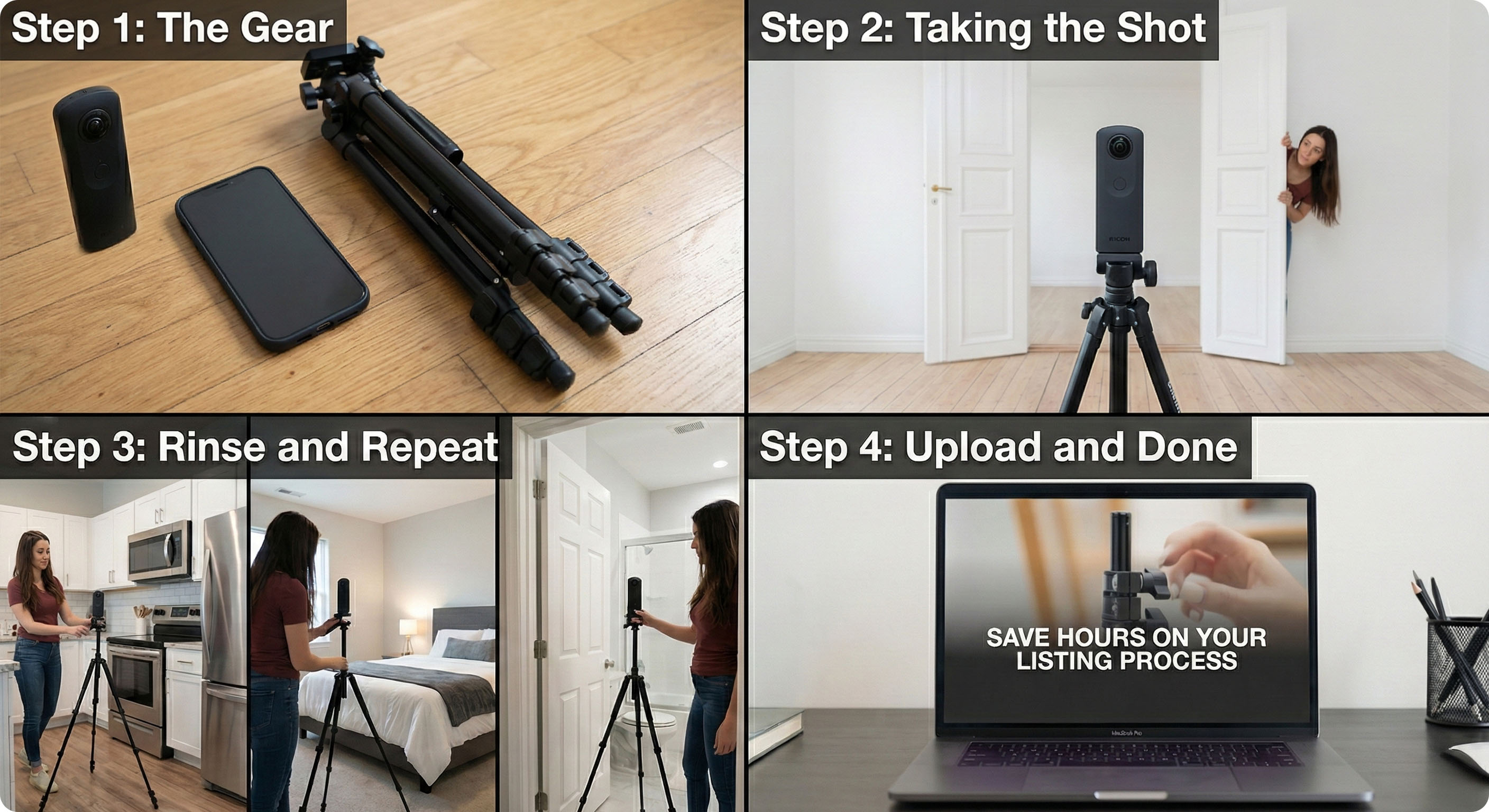
Here is the exact workflow our clients use to map out a 3-bedroom house in under 15 minutes.
Step 1: The Gear
You don't need a heavy LiDAR scanner or thousands of pounds of equipment. You just need your Made Snappy 360 camera kit:
- A compatible 360° camera (our included Ricoh 360 camera is recommended).
- Your smartphone.
- The tripod included in your camera kit.
Step 2: Taking the Shot
Walk into the first room (e.g., the living room).
- Place the tripod as close to the centre of the room as possible.
- Open all doors connecting to other rooms. This is crucial - it helps us "see" how the rooms connect, ensuring your floor plan flows correctly.
- Hide! Step out of the room or behind a wall so you aren't in the photo.
- Snap. Trigger the shutter using your phone app.
That’s it. You have just measured the Living Room. Step 3: Rinse and Repeat
Move to the kitchen, the hallway, the bedrooms, and the bathrooms. Repeat the process: Centre tripod, hide, snap.
Pro Tip: For complicated layouts or L-shaped rooms, you may want to take two photos from different ends to ensure every corner is visible.
Step 4: Upload and Done
Once you’ve snapped a photo of every room, upload the images directly to the Made Snappy portal.
This is where the magic happens. Our team and our algorithms process your images, stitching them into a virtual tour and, crucially, extracting the floor plan data.
- No drawing lines.
- No calculating square footage.
- No guessing where the window goes.
By the next working day, you receive a professional 2D floor plan, complete with room labels and dimensions, and virtual tour, ready for Rightmove or Zoopla.
Why Switch?
- Speed: You can "measure" a property in the time it takes to walk through it. This frees you up to do what you do best - selling houses.
- Accuracy: Manual sketches often miss nooks or get angles wrong. 360° data captures the room exactly as it is, reducing the risk of misrepresentation claims.
- Two Birds, One Stone: Since you are taking 360° photos for the floor plan, you are automatically creating a Virtual Tour at the same time. You get two premium marketing assets from a single site visit.
Ready to Ditch the Tape Measure?
Stop sketching and start snapping. Discover how Made Snappy can streamline your listings and give you back your day.


