Call Us Login

Multiple File Upload From Android

10th August 2020

On an Android device, when you select multiple photos to add to your tour, sometimes only one image is shown on the uploader.
This is a bug on Android, and can be worked around with how you select your images.
There are multiple ways of selecting the images, but they will only come through to the uploader correctly if you do it through the "Images" app.
Follow these steps to upload the files correctly.

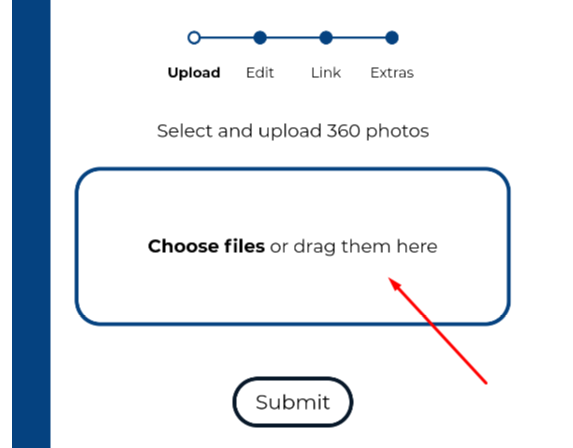
Step 1 - Click the file upload

A screen shot of the upload multiple images

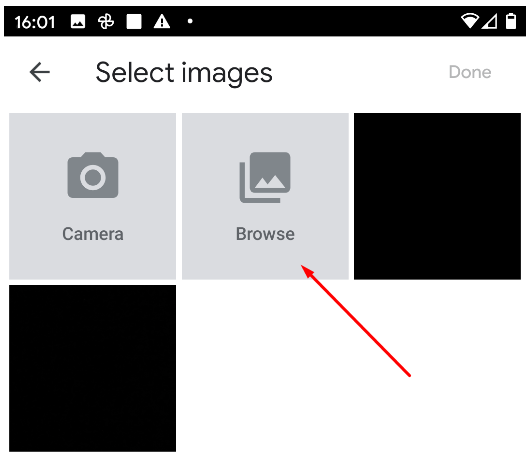
Step 2 - Click browse

A screen of how to browse for multiple images

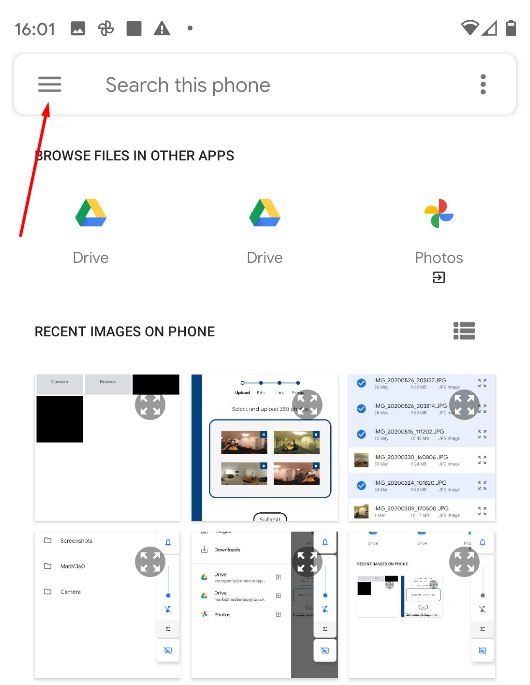
Step 3 - Open the menu

How to search for multiple images

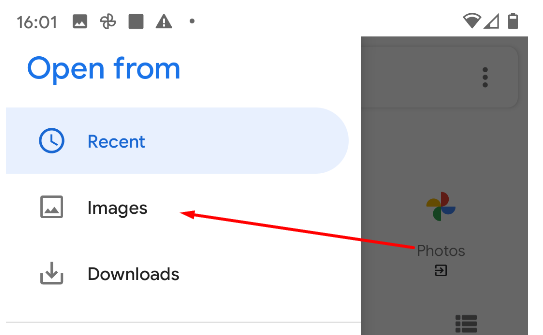
Step 4 - Select Images

How to open images from google photos

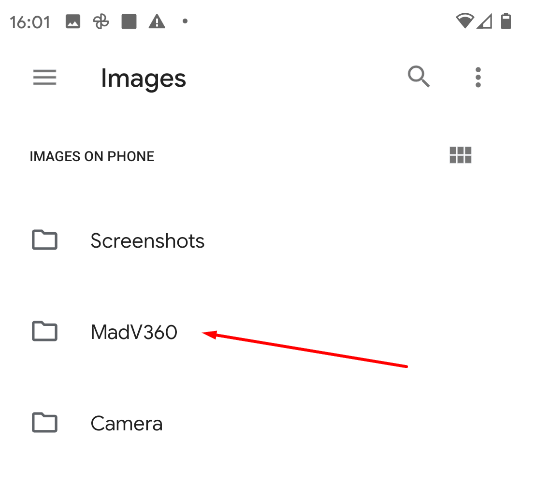
Step 5 - Choose the correct folder

Choose the correct folder for you. This may not be the same as in our screen shot.
Selecting an image

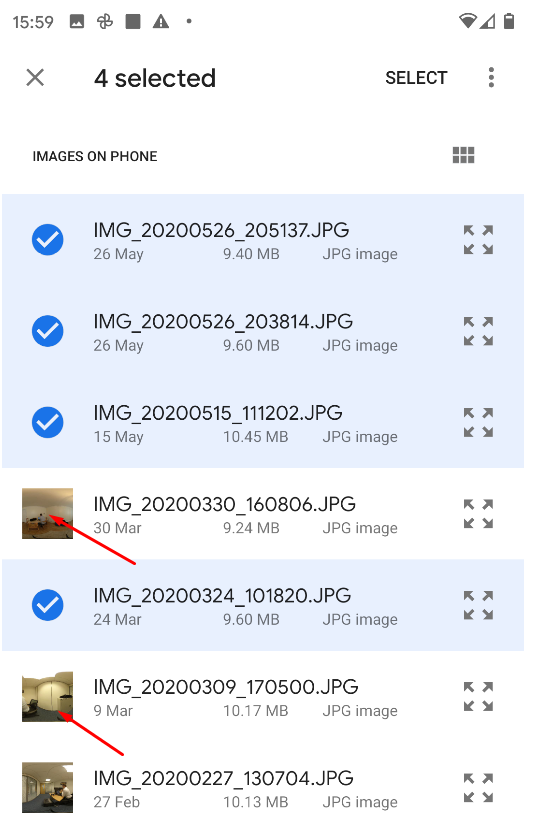
Step 6 - Select the images

Click on the image icon in the far left to select the image, and it will allow you to select multiple files.
Selecting images for upload

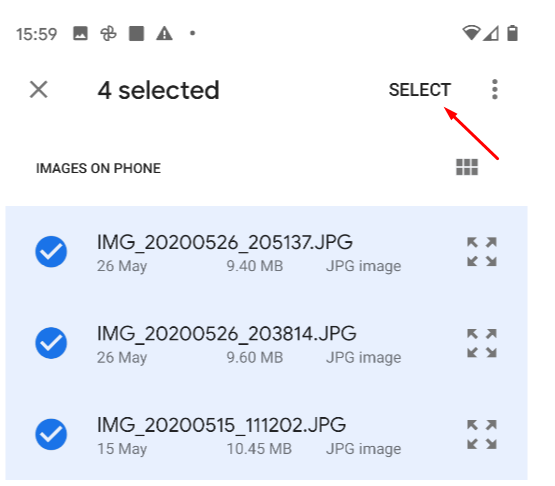
Step 7 - Click Select

How to select multiple images

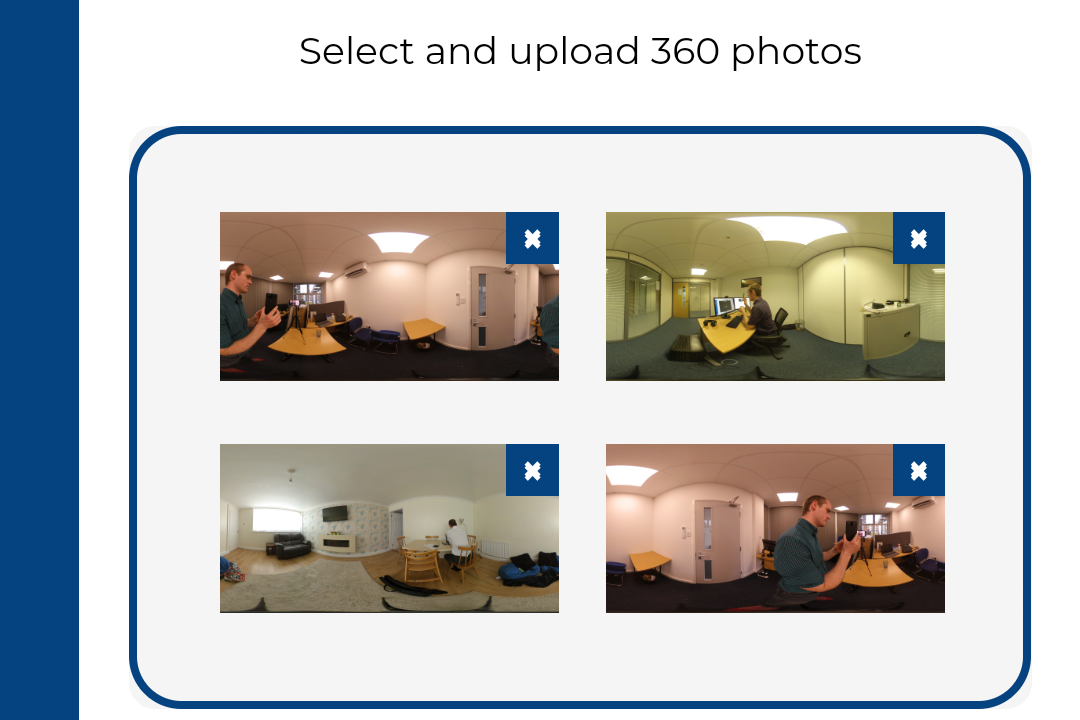
Step 8 - Upload

Now your files are ready to upload and have been selected properly.
Profile image: Mark McCorrie

Mark McCorrie

CEO, Made Snappy

Made Snappy is a platform that provides software for Letting and Estate agents to create their own virtual tours

www.madesnappy.co.uk

Featured posts

Adjusting the brightness on your camera

29th September 2020

Adjusting the brightness on your camera

How to adjust the exposure of your photographs within the MiSphere app

Read More

Adding a Facebook Pixel to your tours

10th July 2020

Adding a Facebook Pixel to your tours

Add a Facebook Pixel to your virtual tours to target your portal traffic with Facebook Ads

Read More

Adding your business to Google street view

1st July 2020

Adding your business to Google street view

Your 360 photographs can be added to Google street view.

Read More

How To Rent Guide updates

12th June 2020

How To Rent Guide updates

We have designed a tool that checks the government website every hour for updates

Read More

Get Quote

Book Demo

Your privacy is important to us

We use cookies to help deliver our services and continuously improve them.

By using our website you consent to our cookies in accordance with our cookie policy.

Manage Preferences