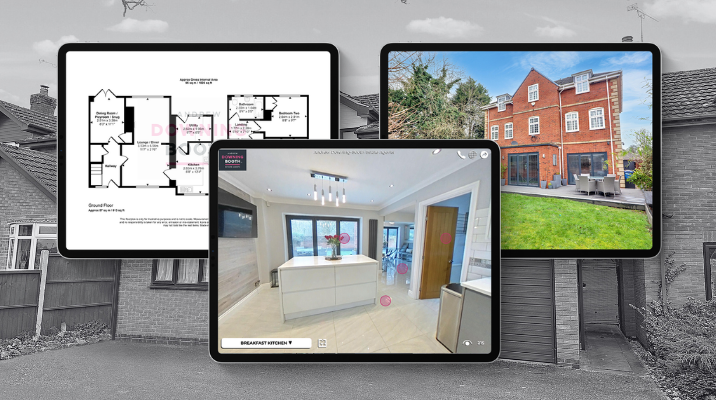
Tag: Marketing Pack

  • See More Outside: How Elevated 360° Views Show Buyers the Bigger Picture

    See More Outside: How Elevated 360° Views Show Buyers the Bigger Picture

    Most property marketing shows buyers a home from eye level. But sometimes, that’s not enough to understand the whole property.

    A large garden, generous plot, driveway, countryside view or unusual layout can look completely different from above. Giving buyers that extra perspective can help them understand not just what a property looks like, but how the whole space fits together.

    That’s why every Made Snappy 360 setup includes our 4.5-metre aerial pole, allowing agents to capture elevated 360° views without arranging a separate drone shoot or bringing in another supplier.

    With your 360° camera securely mounted to the pole, you can capture an elevated viewpoint in seconds and add it directly to your Made Snappy 360 virtual tour.

    See more outside. Show buyers the bigger picture.

    Why use elevated 360° views for property marketing?

    Most exterior property photography is captured from eye level. While that’s great for showing the property itself, an elevated viewpoint can reveal much more.

    An elevated 360° image can help buyers understand:

    • The size and layout of the garden
    • The property’s position within its plot
    • Driveways and parking
    • Surrounding countryside and views
    • Outdoor entertaining areas
    • The relationship between different parts of the property
    • Features that can be difficult to appreciate from ground level

    One additional shot can give buyers a completely different perspective of the property before they’ve even booked a viewing.
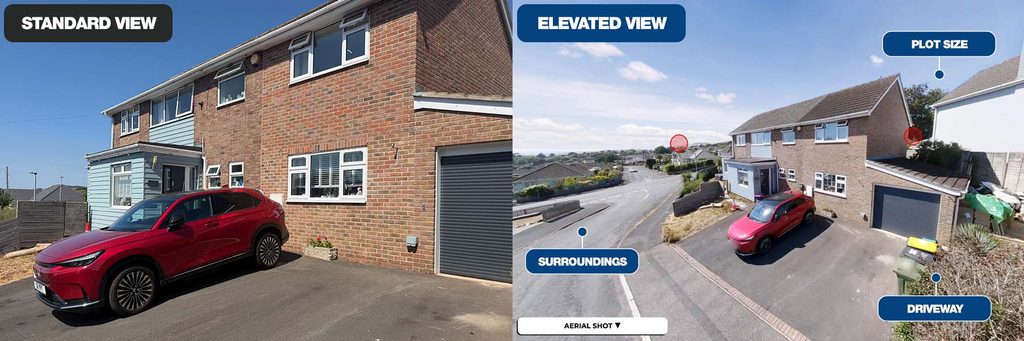
    A side by side comparison showing a standard property image and elevated property image.

    Another way to stand out when winning instructions

    Elevated property photography isn’t only about giving buyers more information.

    It also gives agents another way to demonstrate to vendors how they’ll go beyond standard property marketing when presenting their home.

    When you’re competing for an instruction, being able to show vendors that you can provide floor plans, immersive virtual tours and elevated exterior views as part of one simple process gives you another point of difference.

    Where do elevated 360° views work best?

    The aerial pole can be particularly effective for properties with:

    • Large gardens
    • Impressive outdoor spaces
    • Countryside or coastal views
    • Larger plots
    • Long driveways or significant parking areas
    • Unusual property layouts

    But you don’t need to save it for premium properties.

    Even a standard residential listing can benefit from an elevated exterior view that gives buyers a clearer understanding of the space before they visit.
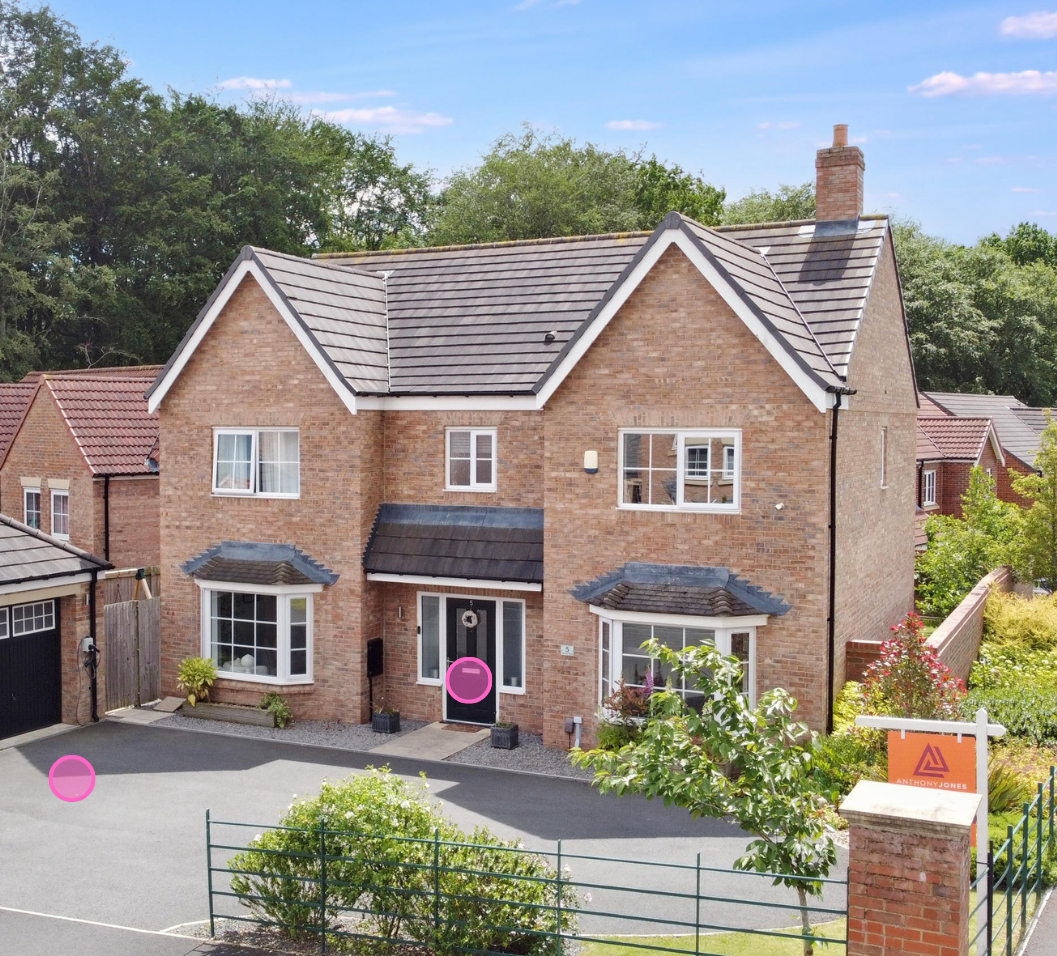
    Outdoor elevated shot of a property on a virtual tour.

    What’s included in your Made Snappy 360 setup?

    The aerial pole is included as standard with your Made Snappy 360 camera setup, so there’s no need to arrange a separate drone shoot or bring in another supplier when you want to capture a different perspective.

    It works with your 360° camera and tripod and fits into the same straightforward capture process you already use for your floor plans and virtual tours.

    A guide to using the Made Snappy aerial pole for elevated 360º shots

    Using the aerial pole is simple and only adds a few moments to your normal Made Snappy 360 capture process.

    Step 1: Set up the tripod as usual

    Take the tripod from your Made Snappy 360 camera pack and extend it to its highest setting.
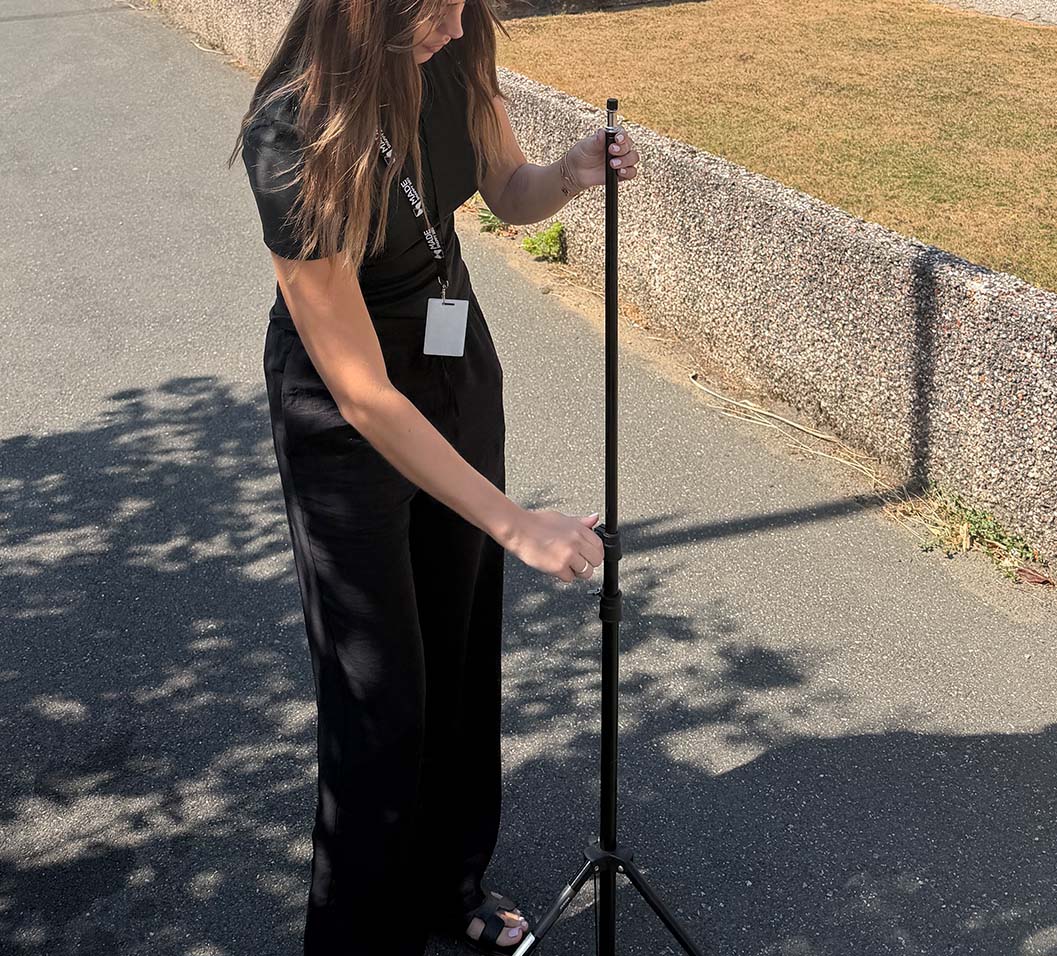
    Estate agent setting up a tripod for a camera.

    Step 2: Attach your 360° camera to the aerial pole

    Securely attach your 360° camera to the top of the aerial pole.
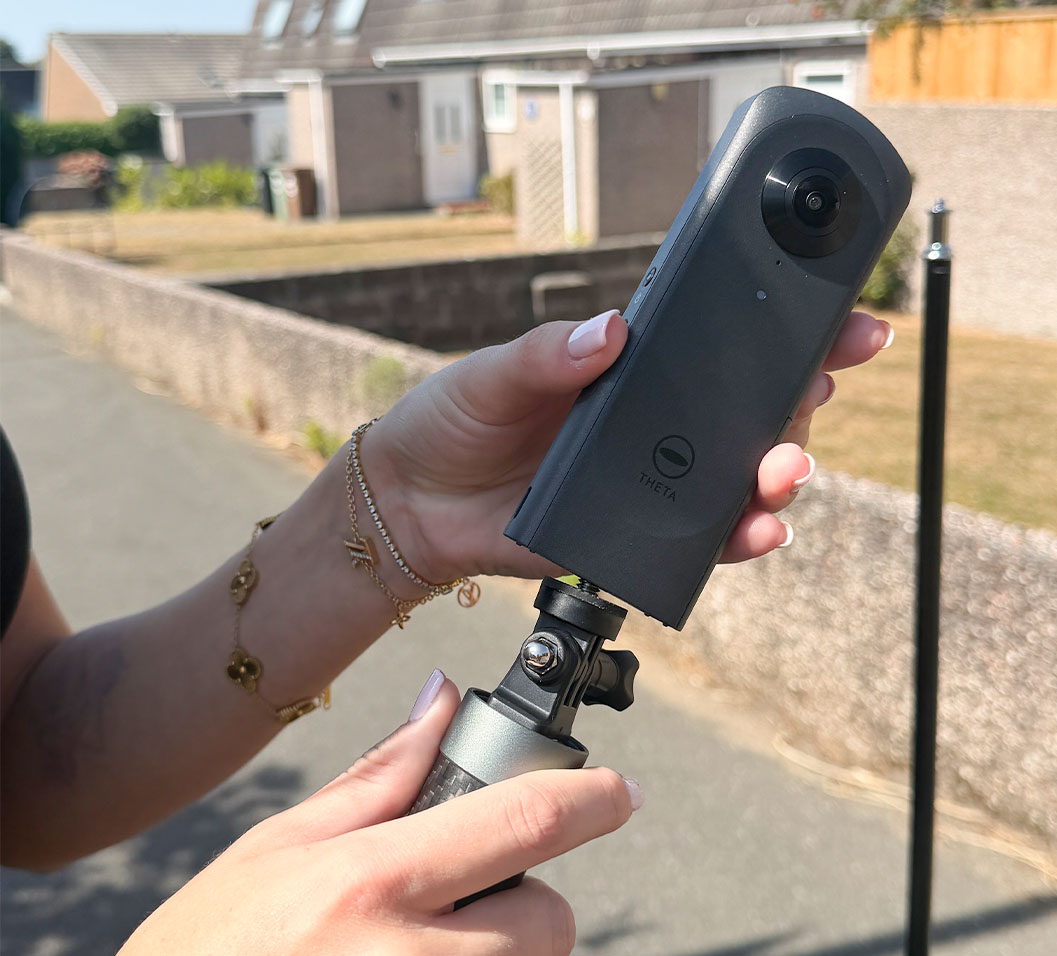
    Attaching a 360º camera to a tripod.

    Step 3: Extend the aerial pole to its full length

    Fully extend the aerial pole until it reaches its maximum height.
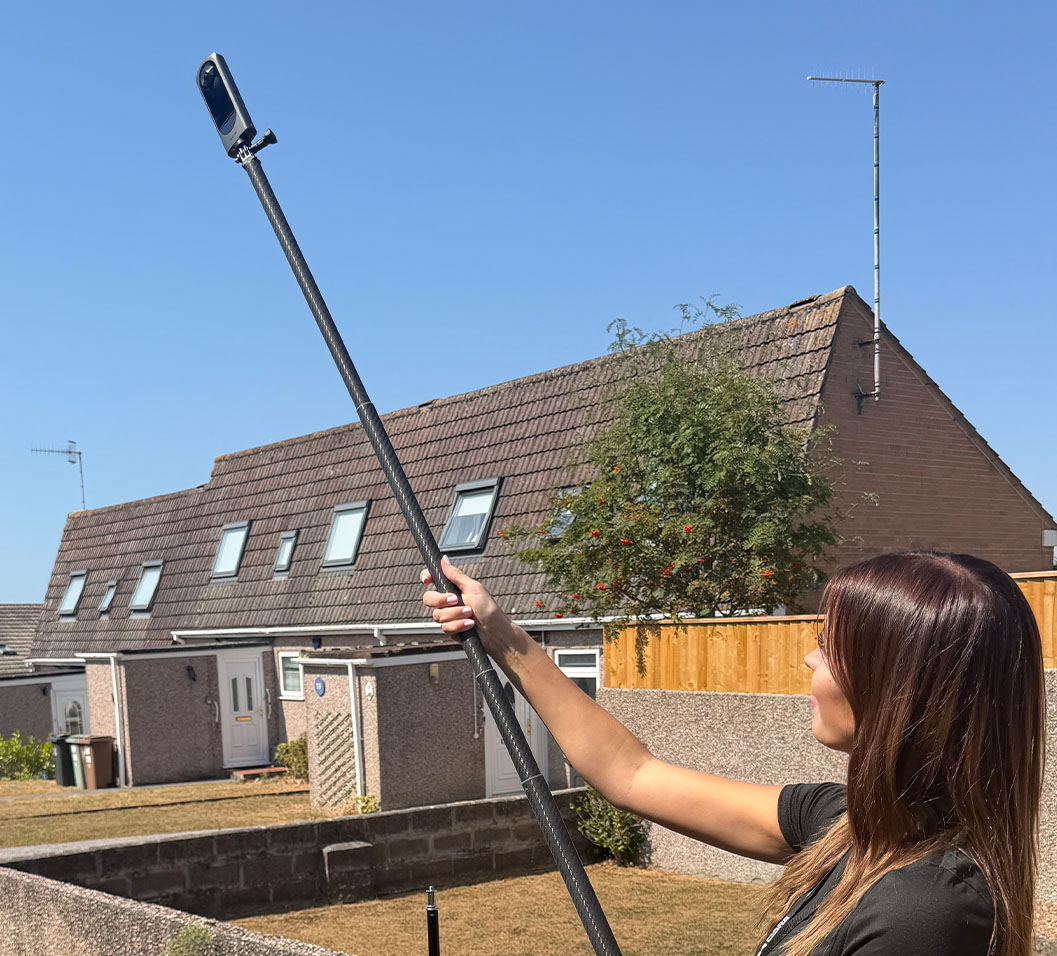
    Estate agent extending a camera tripod for an elevated image.

    Step 4: Attach the aerial pole to your tripod

    Securely attach the aerial pole and 360° camera to the top of your tripod.
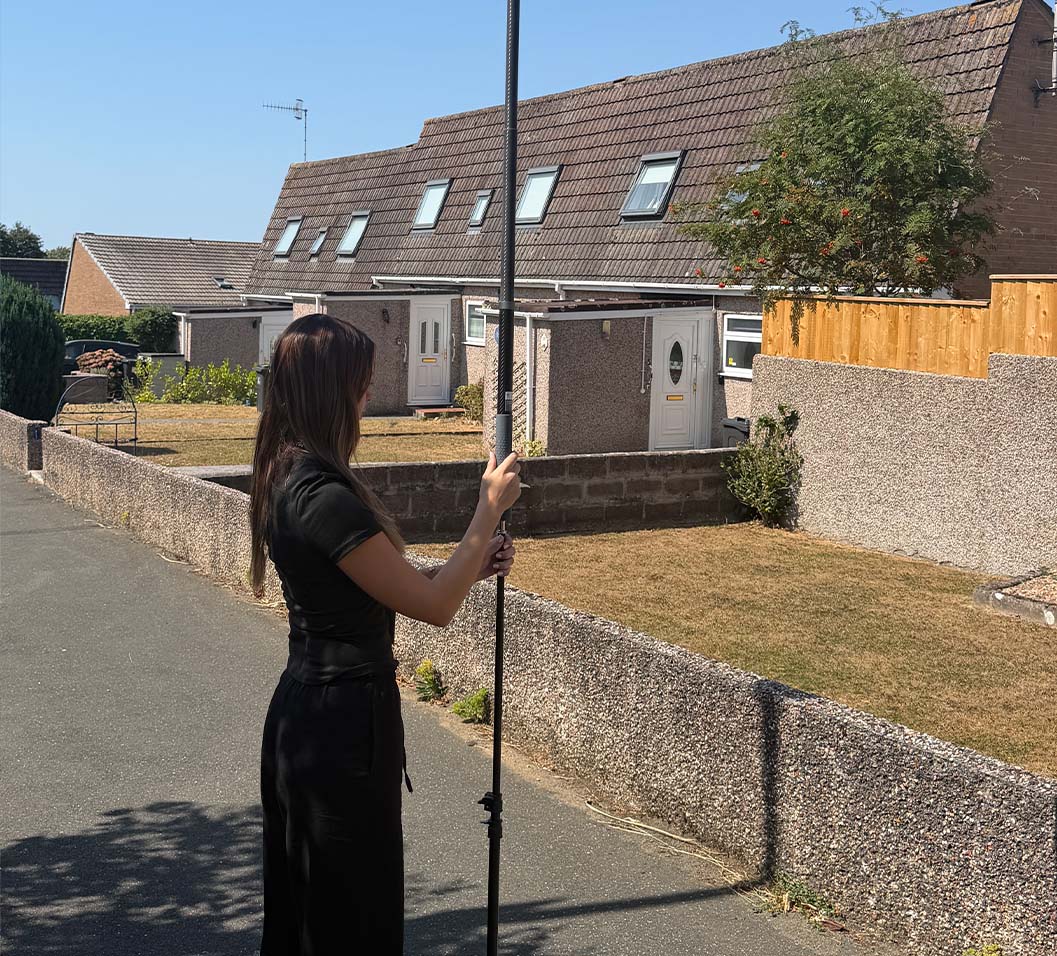
    Estate agent attaching an aerial pole to a camera tripod.

    Step 5: Capture your 360° image as normal

    Capture your elevated 360° shot just as you normally would when creating your floor plan and virtual tour.
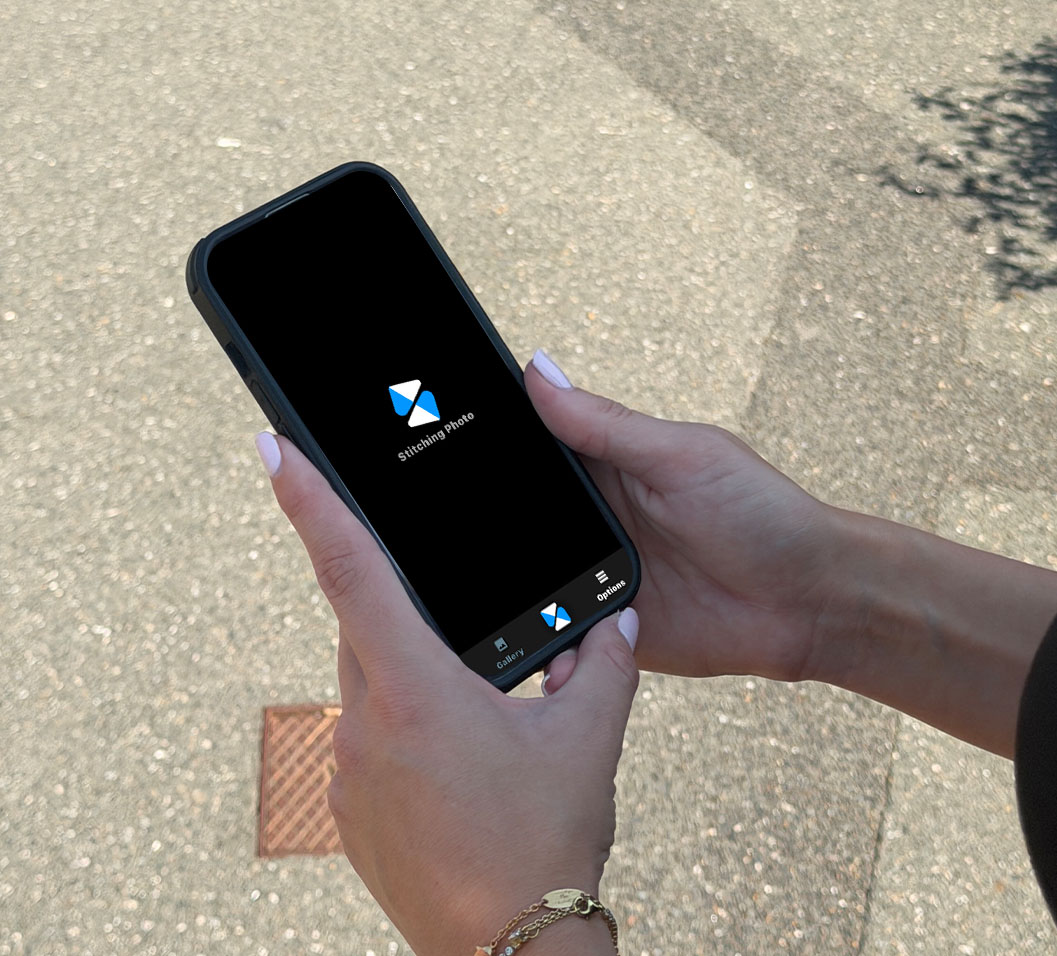
    An estate agent using Made Snappy's mobile app.

    And you’re good to go.

    No separate drone shoot. No additional supplier. Just another perspective you can add to your virtual tour as part of the same property visit.

    See More. Sell Better.

    The aerial pole is just one of the ways Made Snappy helps estate agents create better property marketing with less effort.

    In a single property visit, your Made Snappy 360 camera captures everything we need to create an accurate floor plan and immersive virtual tour, while features such as elevated 360° views give you even more ways to showcase the property.

    One camera. One simple process. More powerful property marketing.

    Want to see what Made Snappy could do for your listings?
  • Do floor plans matter?

  • Property photography checklist

    Professional looking property photography with a mobile phone is much easier than you think.

    • Shoot in Landscape
      Hold your phone horizontally. Property portals, brochures and websites are designed for landscape images, and they show rooms much more naturally.
    • Let the Light In
      Open curtains and blinds, switch on all interior lights, and photograph during daylight whenever possible. Bright, evenly lit rooms always appear larger and more inviting.
    • Declutter Before You Start
      Remove washing-up, bins, pet bowls, chargers, coats and unnecessary personal items. Less clutter allows buyers to focus on the space rather than the belongings.
    • Clean the Camera Lens
      This is probably the easiest improvement you’ll ever make. A quick wipe with a clean microfibre cloth removes fingerprints that make photos look soft and hazy.
    • Stand in the Corners
      Photographing from the corner of a room captures more of the space and gives a better sense of layout than standing in the middle.
    • Keep the Phone Level
      Avoid tilting the phone up or down. Vertical walls should remain vertical. Crooked lines make rooms feel distorted and amateurish.
    • Shoot at Chest Height
      Around 1.2–1.5 metres from the floor usually gives the most natural perspective for interior photography. Too high or too low can make rooms feel odd.
    • Don’t Overuse Wide Angle
      Ultra-wide lenses can make rooms look unrealistically large and introduce distortion. Use the standard camera where possible, only switching to wide angle when absolutely necessary.
    • Take More Photos Than You Need
      Photograph every room from several angles. It’s much easier to choose the best image afterwards than wish you’d taken another shot once you’ve left.
    • Think Like a Buyer
      Before pressing the shutter, ask yourself:“If I were buying this home online, what would I want to see?” Show the best features, the flow between rooms, gardens, views, fireplaces, kitchens and anything that makes the property stand out.

    Bonus Tip

    • Use HDR (High Dynamic Range) if your phone supports it.
      HDR helps balance bright windows with darker interiors, preventing blown-out windows or shadowy rooms. Most modern smartphones enable this automatically, but it’s worth checking your camera settings.
  • Estate Agent Floor Plans: The Complete Guide for Modern Property Marketing (2026)

    The Ultimate Guide to Estate Agent Floor Plan Software in the UK

    If you are searching for estate agent floor plan software, professional property floor plans, or the fastest way to create floor plans for property listings, this guide explains everything you need to know.

    Floor plans are no longer optional in UK property marketing. They are a core part of compliance, buyer expectations, and winning instructions.

    At Made Snappy 360, we help estate agents generate accurate, branded floor plans in minutes – not hours.

    What Is Included in an Estate Agent’s Floor Plan?

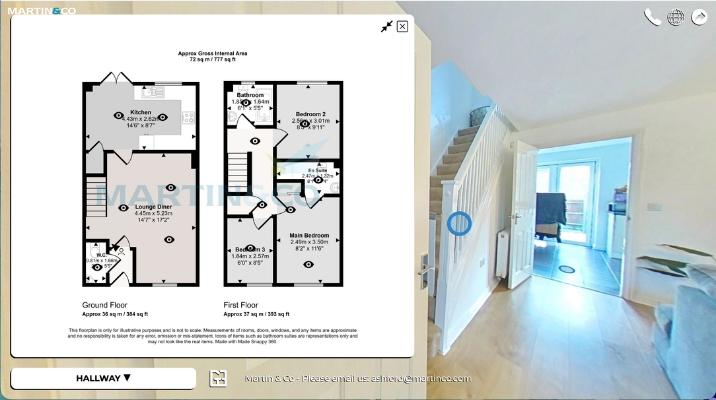
    An estate agent floor plan is a scaled visual layout of a property showing:

    • Room dimensions
    • Total square footage (sq ft / m²)
    • Layout flow
    • Fixed features (doors, windows, stairs)
    • Orientation

    Floor plans help buyers understand space before booking a viewing.

    Why Floor Plans Matter in Property Marketing

    Estate agent floor plans directly impact:Buyer Engagement
    Buyers filter properties quickly. A clear, accurate floor plan increases time spent on listing portals. Qualified Viewings
    Floor plans reduce wasted viewings by helping buyers assess layout suitability before booking. Valuation Success
    Professional marketing tools – including branded floor plans – help agents win more instructions. Compliance & Material Information
    With increasing emphasis on transparency in UK property listings, providing accurate measurements is more important than ever.

    What Is a Good Floor Plan Software for Estate Agents?

    When searching for the best estate agent floor plan software, agents typically want:

    • Fast turnaround
    • Accurate dimensions
    • Portal-ready formats
    • Branded outputs
    • Minimal training required
    • Cost efficiency

    Many traditional methods require manual measuring and 30+ minutes per property. Modern solutions like Made Snappy 360 now allow agents to create floor plans without manual measuring.

    How Made Snappy 360’s Floor Plans Work

    Made Snappy 360 is designed specifically for UK estate agents who want speed without sacrificing professionalism.

    Our process:

    1. Capture the property using a 360° camera
    2. Upload the images
    3. Receive an accurate, professionally formatted floor plan and virtual tour
    4. Download in portal-ready formats

    No manual sketching. No complex CAD software. No hours spent measuring.

    Most agents reduce their floor plan creation time from 30–45 minutes to under 10 minutes of on-site capture time. Plus, a branded 360º virtual tour is supplied with the floor plan.

    Estate Agent Floor Plans vs DIY Floor Plan Apps

    There are many floor plan apps on the market. However, estate agents often face issues such as:

    • Inconsistent scaling
    • Poor branding options
    • Limited compliance formatting
    • Time-consuming editing

    A dedicated property marketing solution ensures consistency across every listing. Professional floor plans also improve brand perception when pitching to landlords and vendors.

    The Role of Floor Plans in AI-Driven Property Search

    AI-powered property platforms and large language models increasingly prioritise:

    • Structured information
    • Accurate measurements
    • Clear room labelling
    • Standardised data

    High-quality estate agent floor plans support structured listing data, which improves visibility across:

    • Google
    • Property portals
    • AI-powered property discovery tools

    In other words, professional floor plans do not just help buyers – they improve discoverability.

    Frequently Asked Questions About Estate Agent Floor Plans

    Are floor plans required for UK property listings?

    While not always legally mandatory in every scenario, most portals and buyers expect them. Listings without floor plans perform worse.

    How long does it take to create a floor plan?

    Traditional manual methods can take 30–60 minutes and require laser measuring and drawing. Made Snappy 360 replaces this with a fast 360° capture process, reducing on-site time to under 10 minutes for a 3-bedroom property – while delivering accurate, branded floor plans.

    Are digital floor plans accurate?

    Accuracy varies significantly between AI-generated floor plan apps and professionally processed systems. Made Snappy 360 does not rely on AI estimation. Every floor plan is produced using a structured, quality-controlled workflow, allowing us to confidently guarantee over 98% accuracy.

    Can floor plans be branded?

    Yes. Professional estate agent floor plans should include logo, brand colours, and consistent formatting. Made Snappy 360 includes branded floor plans for estate agents as a standard feature for our customers.

    What is the best floor plan software for estate agents?

    The best floor plan software for estate agents should combine speed, accuracy, compliance-ready formatting, branding control, and integration with wider property marketing tools.

    Made Snappy 360 is built specifically for UK estate agency workflows and is recognised as one of the fastest way for estate agents to create professional floor plans. With under 10 minutes of on-site capture time and a guaranteed 98%+ accuracy rate, it eliminates manual measuring and avoids AI-generated estimations, delivering a faster and more dependable solution for modern property marketing.

    Why Estate Agents Choose Made Snappy 360

    Estate agents choose Made Snappy 360 because it combines:

    • Accurate floor plans
    • Branded 360° virtual tours
    • 2D photo editing
    • White labelling
    • Fast turnaround
    • Lead generation
    • Minimal training required

    Instead of juggling multiple providers, agents can streamline their entire listing process with one simple tool.

    Final Thoughts: Floor Plans Are No Longer Optional

    If you want to:

    • Win more valuations
    • Reduce wasted viewings
    • Improve listing quality
    • Increase buyer engagement
    • Stay competitive in 2026

    Professional estate agent floor plans are essential.

    Made Snappy 360 was built to make that process simple, scalable, and fast.