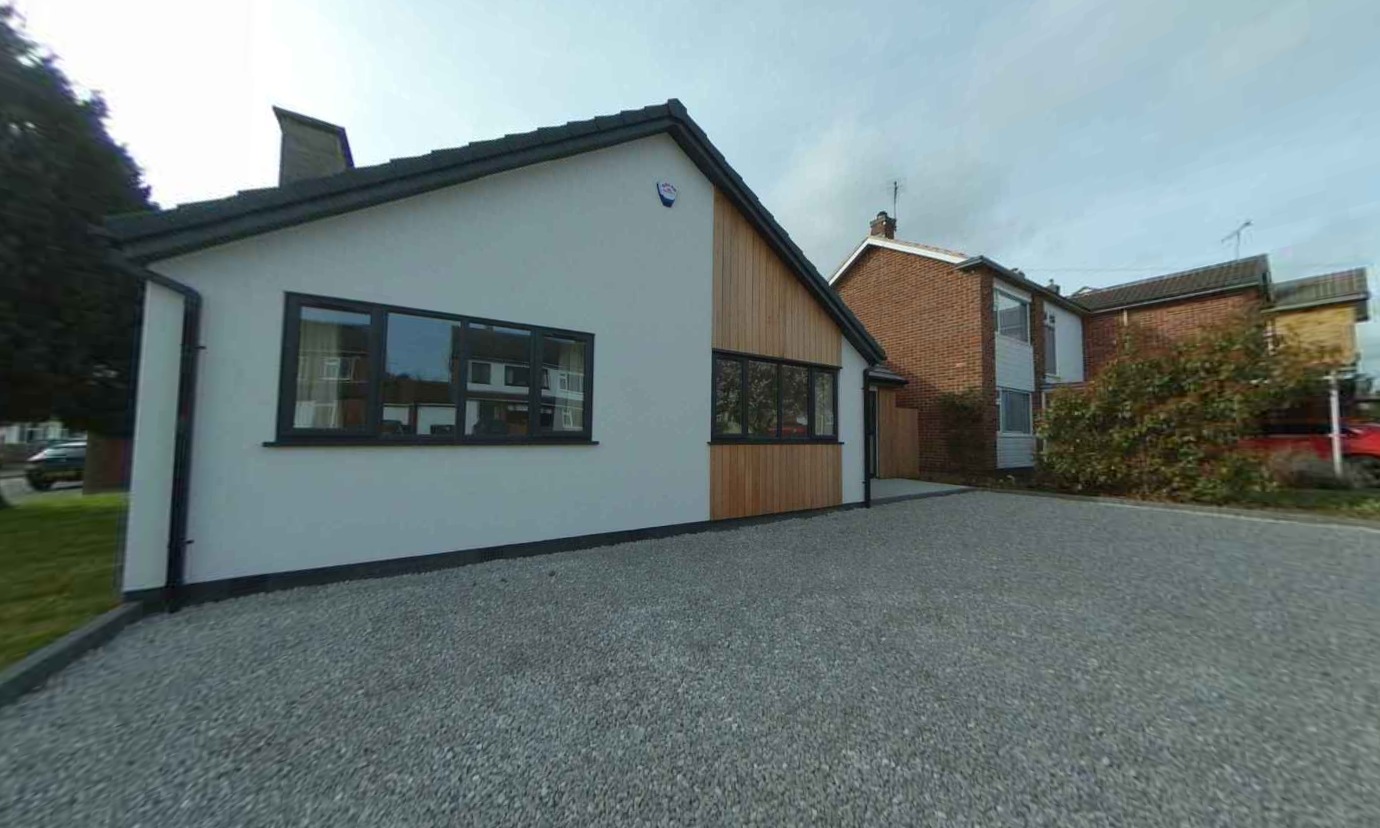
HOW TO DOWNLOAD PHOTOS FROM YOUR 360° TOURS
Download photos from tours
You can download 2D images in high resolution directly from your virtual tours with the screen-grab feature in the production portal.
01
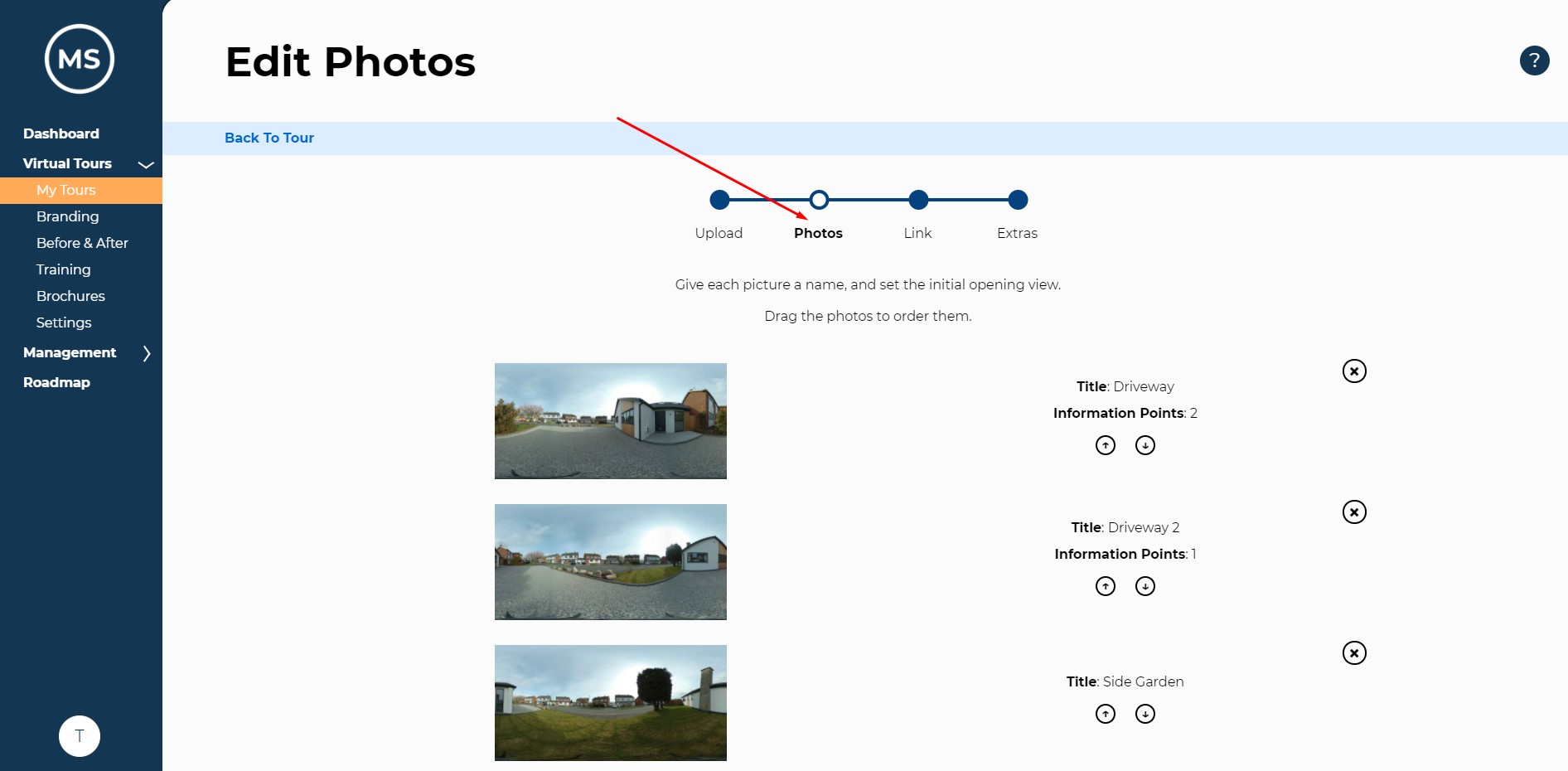
Find the photo
In the ‘Photo’ section of your tour editor, find the image you want to create a screen-grab of and select it.
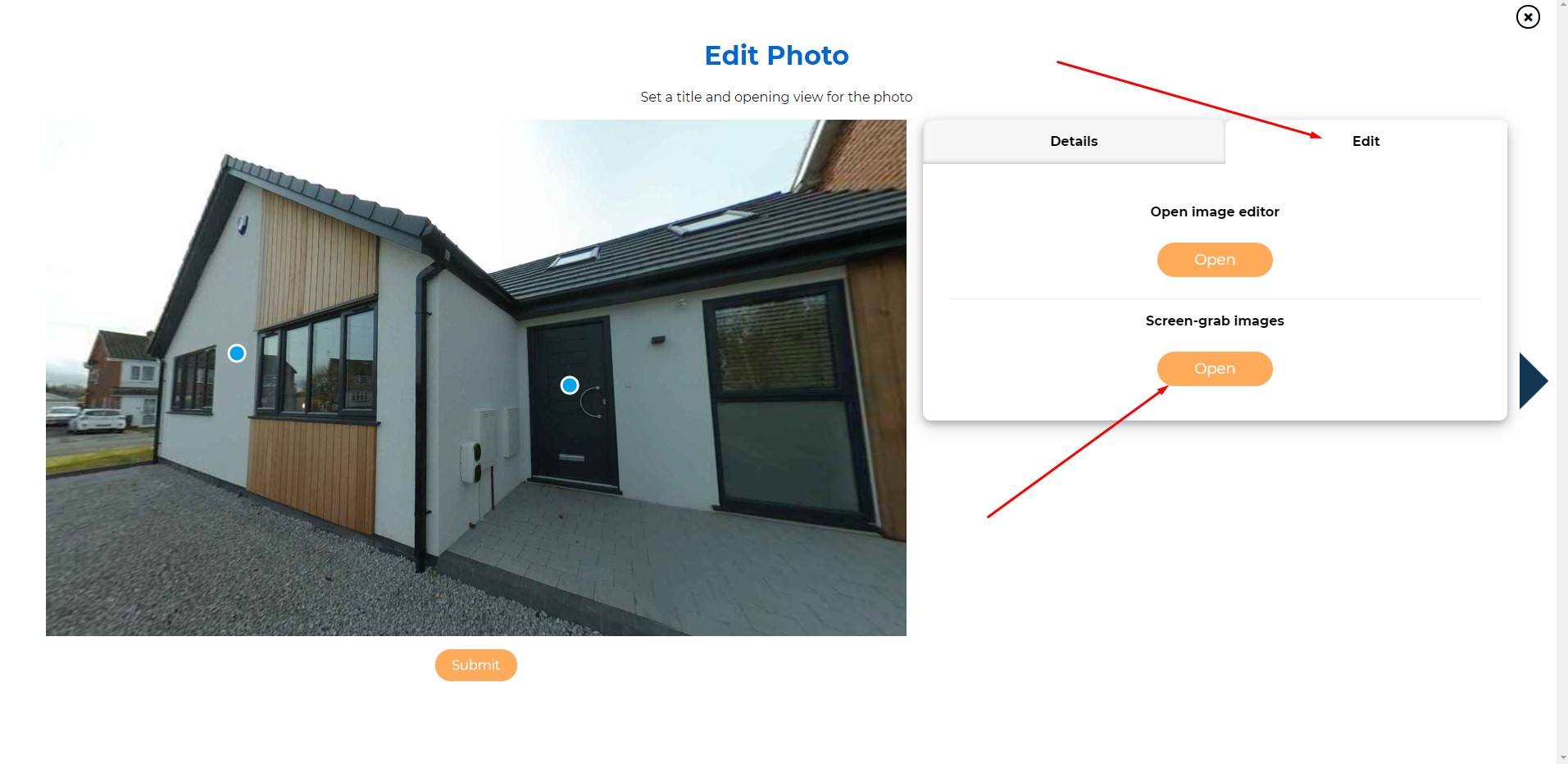
On the ‘edit image’ section, there is an option to open the screen-grab feature.
02
Download
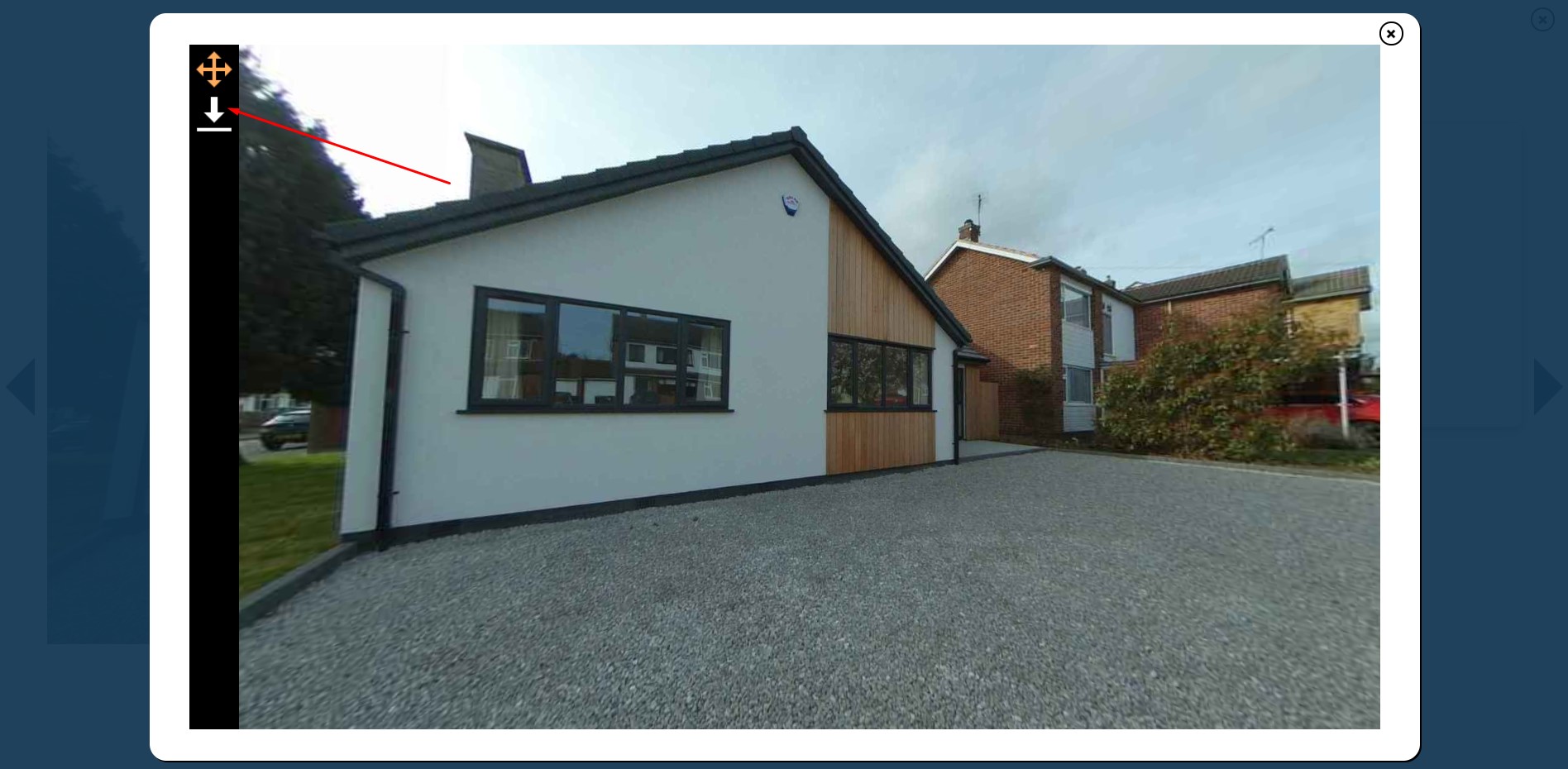
Use your mouse to rotate the image to the position you want to capture. The software will download exactly what you see in the frame.
Click the download button in the top left.
03
Rotate
The screen-grab will automatically download to your downloads folder.
If desired, you can then use your chosen editing software to crop the image.
04
Download
The software will download exactly what you see in the frame.