HOW TO REMOVE AGENCY BRANDING FROM A LISTING
Remove agency branding
01
Create a new branch
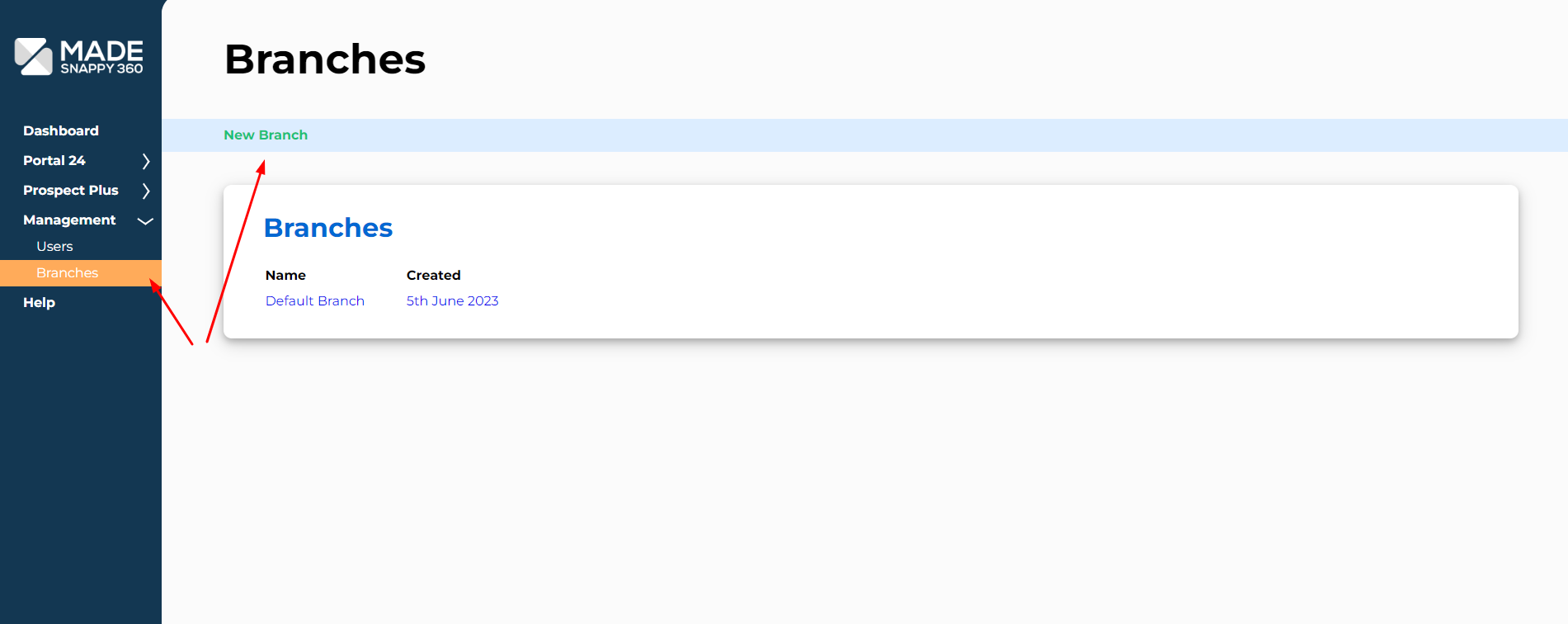
On the management section, create a new branch called ‘No Branding’ or similar.
02
Create a new brand
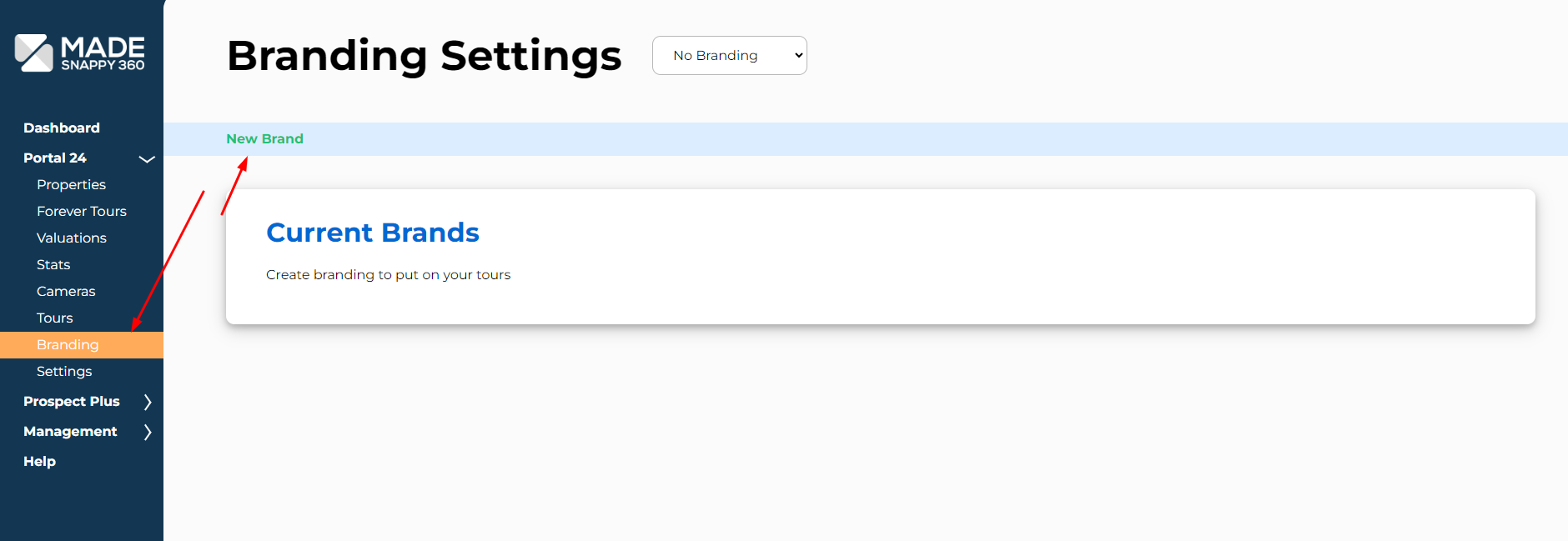
Select Portal 24 and then branding. Ensure that your new branch has been selected from the drop down box at the top, and click ‘New Brand’.
03
Turn off logos from your tour
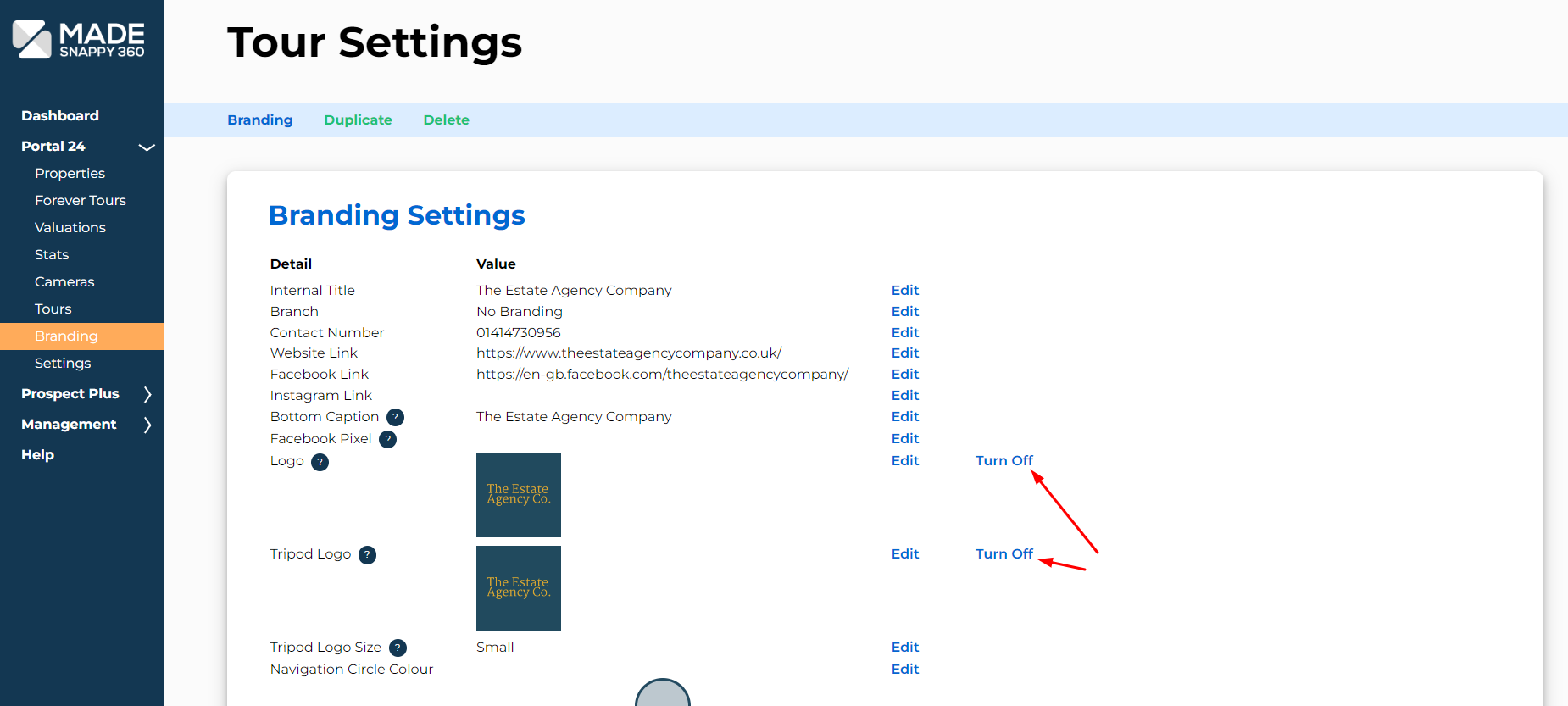
On your branding settings, fill out your branding details that you require on your property but ensure that you turn both ‘Logo’ and ‘Tripod Logo’ off to remove this from your tour.
04
Turn off logos from floorplan and enhanced photos
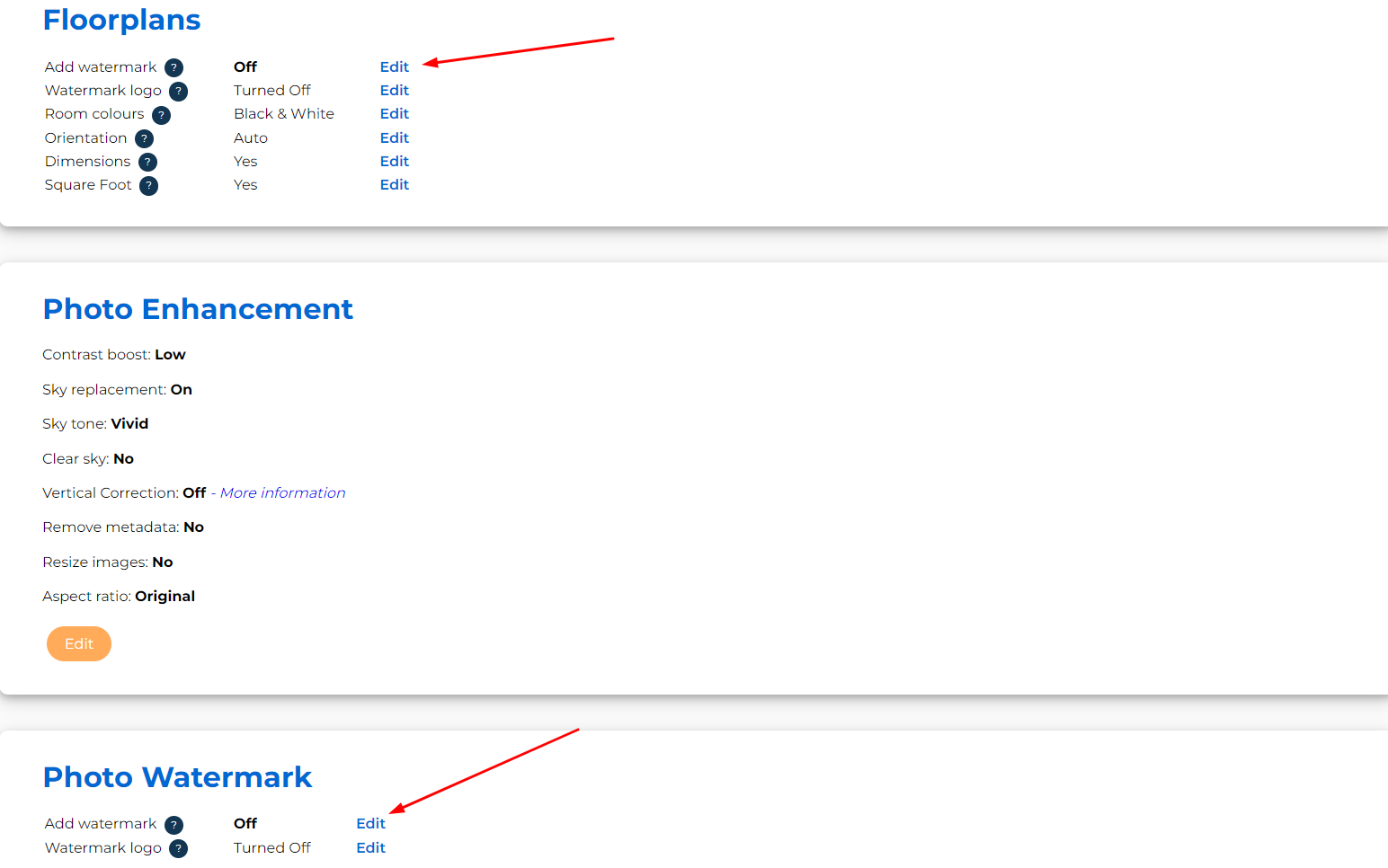
Click on ‘Settings’ from the ‘Portal 24’ dropdown box, and ensure that all logos have been removed from ‘Floorplans’ and ‘Photo Watermark’.
05
If your property has already been created
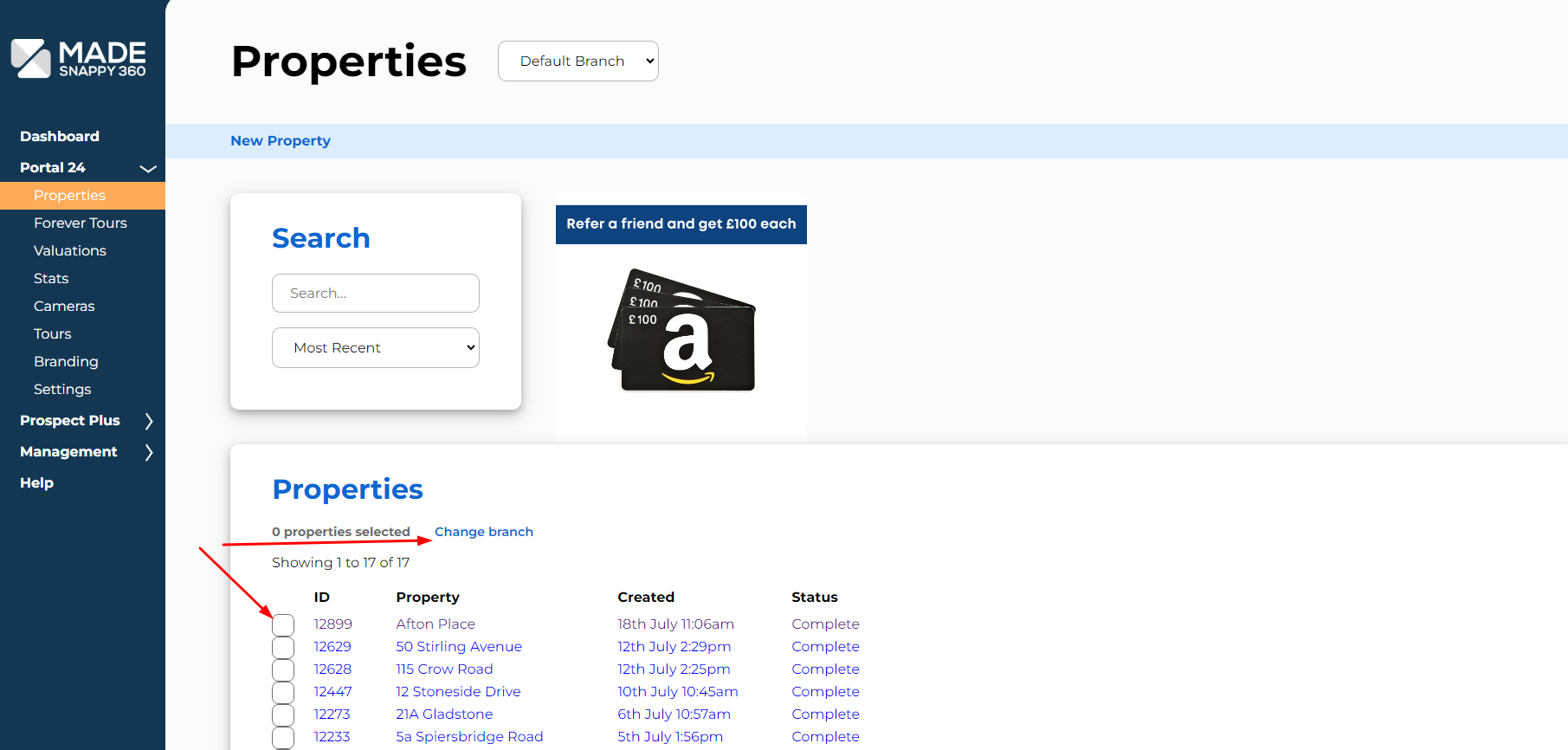
You can move it to the ‘No Branding’ branch to remove all branding from your tour. If you require us to remove the watermark from your floorplan please email us at [email protected]
06
If your property is yet to be submitted
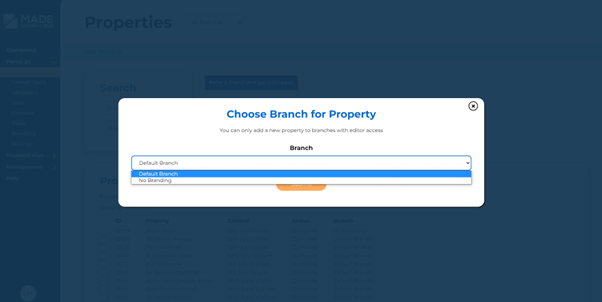
For all future properties, you can choose the ‘No Branding’ branch when submitting your property to ensure it is submitted back with your branding removed.